
 Join our Discord
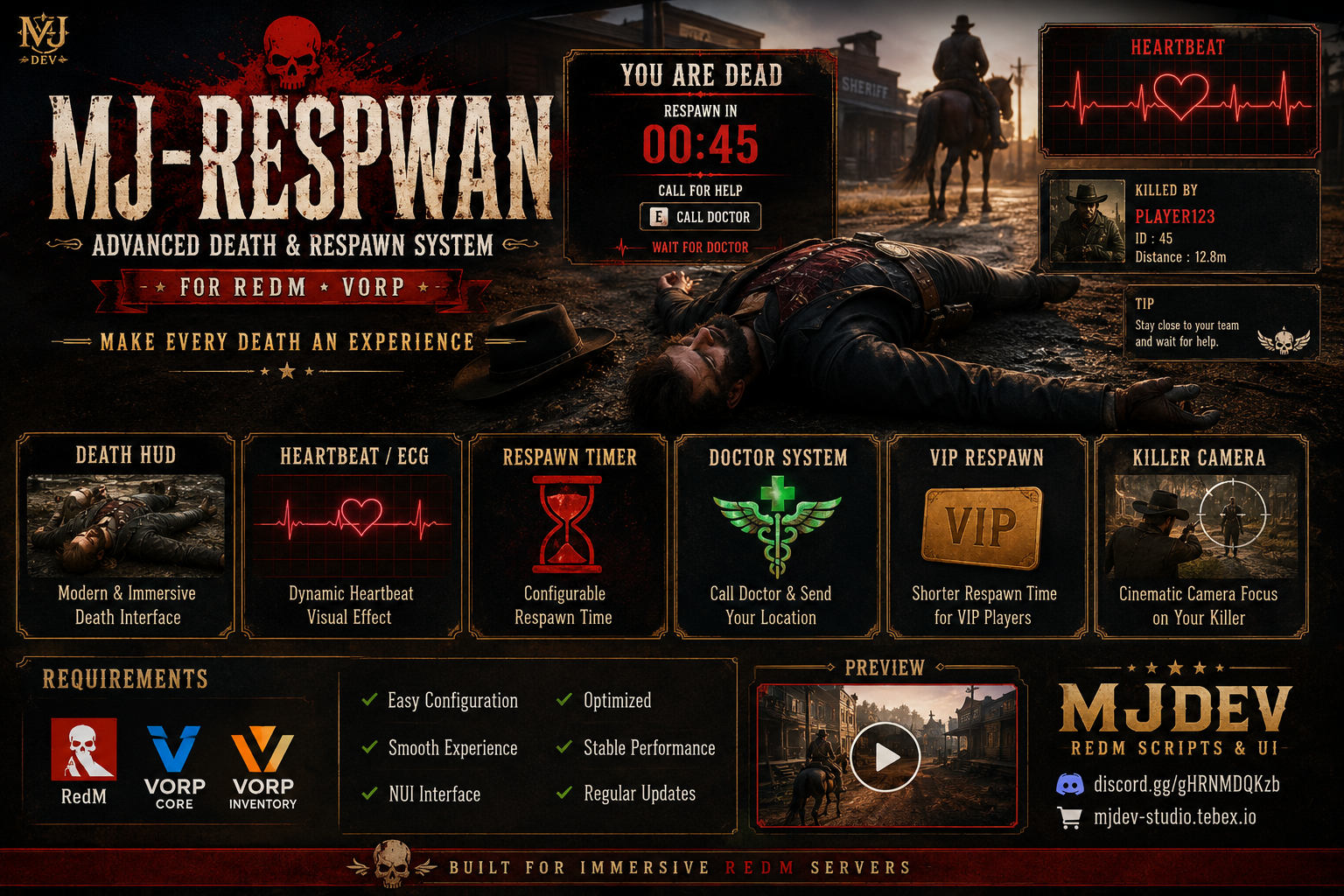

🩸 MJ-RESPWAN
Advanced Death & Respawn System for RedM • VORP
Turn every death into an immersive experience.
MJ-RESPWAN adds a cinematic death interface, heartbeat effects, respawn countdown, medical assistance and killer camera system to your RedM server.
🏆 FEATURES
| ❤️ Death UI | ⏱️ Respawn System | 🎥 Killer Camera |
|---|---|---|
| Modern NUI | Configurable Timer | Cinematic Focus |
| ECG / Heartbeat | VIP Respawn | Killer Tracking |
| 🩺 Medical System | ⭐ VIP Support | ⚙️ Configuration |
|---|---|---|
| Call Doctor | VIP Items | config.lua |
| Death Location | Reduced Timer | Easy Setup |
❤️ CINEMATIC DEATH EXPERIENCE
When a player dies, MJ-RESPWAN displays an immersive death interface designed to keep the player informed while maintaining the atmosphere of your RedM server.
Includes:
❤️ Dynamic ECG / heartbeat display
⏱️ Respawn countdown
🩸 Death information
🩺 Doctor assistance
🎥 Killer cinematic camera
📍 Player death location support
🎥 KILLER CINEMATIC
Killed by another player?
MJ-RESPWAN can create a cinematic camera sequence focused on the player responsible for the kill.
The camera system supports configurable:
Camera duration
Zoom
Orbit movement
Camera shake
Killer focus
Perfect for creating a more cinematic PvP and roleplay experience.
🩺 MEDICAL / DOCTOR SYSTEM
Players can request medical assistance while downed.
The system supports configurable medical jobs and doctor cooldowns, allowing servers to integrate the death experience into their existing medical roleplay.
Config.DoctorJobs = {
    'doctor',
    'medic',
    'ambulance'
}
⭐ VIP RESPAWN
Give VIP players special respawn privileges.
Configure specific inventory items that can provide a reduced respawn time.
Config.VIP = {
    'vip_card',
    'revive_token'
}
⚙️ CONFIGURATION
Customize the main gameplay behavior directly through config.lua.
Config.SpawnTime = 60 * 1000
Config.VipSpawnTime = 30 * 1000
Config.DoctorCooldown = 3 * 60 * 1000
Configure:
Respawn duration
VIP respawn duration
Doctor cooldown
Medical jobs
VIP items
Heartbeat behavior
Death animations
Killer camera
📦 REQUIREMENTS


RedM
VORP Core
VORP Inventory
🚀 INSTALLATION
1. Download
Download and extract the MJ-Respwan resource.
2. Install
Place the resource inside your server's resources directory:
resources/
└── [mjdev]/
    └── MJ-Respwan/
3. Start Resource
Add the following to your server.cfg:
ensure MJ-Respwan
4. Configure
Open:
MJ-Respwan/config.lua
Adjust the available settings to match your server.
5. Restart
Restart the resource or your RedM server.
restart MJ-Respwan
🎬 PREVIEW
▶️ YouTube Preview
💎 MJDEV
Professional RedM Scripts & UI
🌐 Discord: https://discord.gg/gHRNMDQKzb
🛒 Store: https://mjdev-studio.tebex.io/
MJDev — Built for immersive RedM servers.