
 Join our Discord
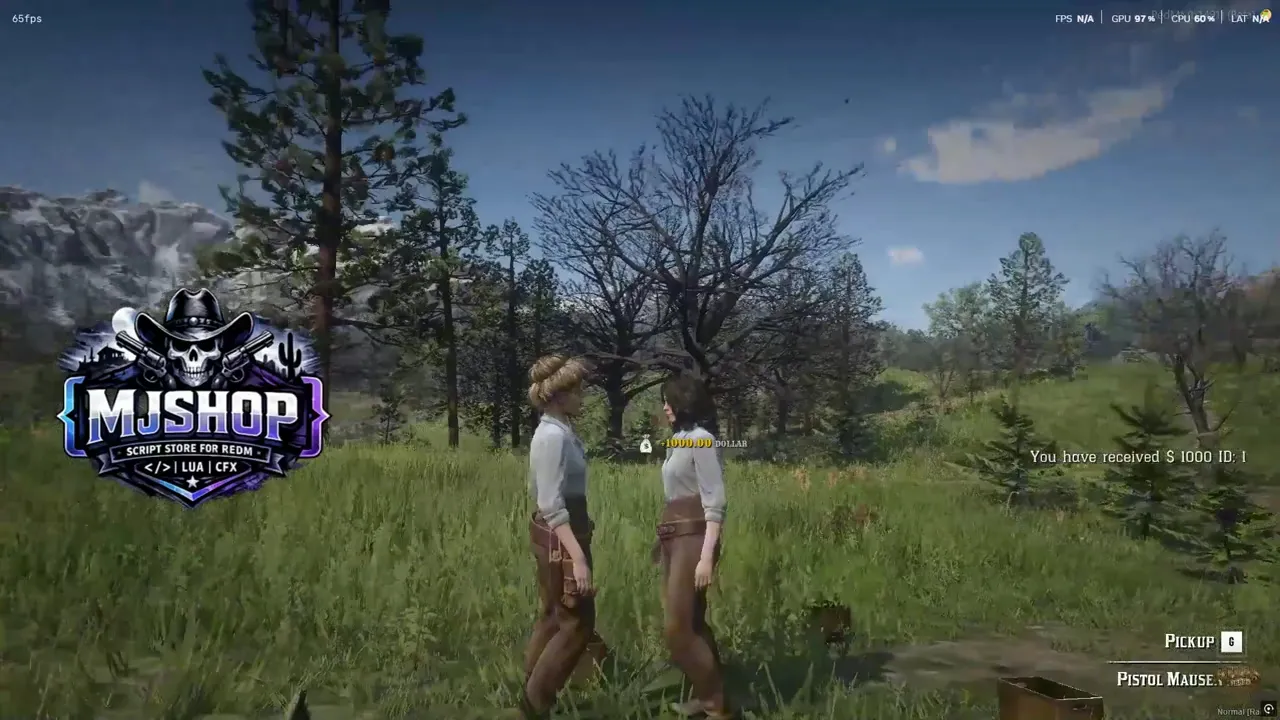
🤠 [VORP] MJ-Notify3D v13.0 - The Ultimate Side-Pop & Stacking Notification System
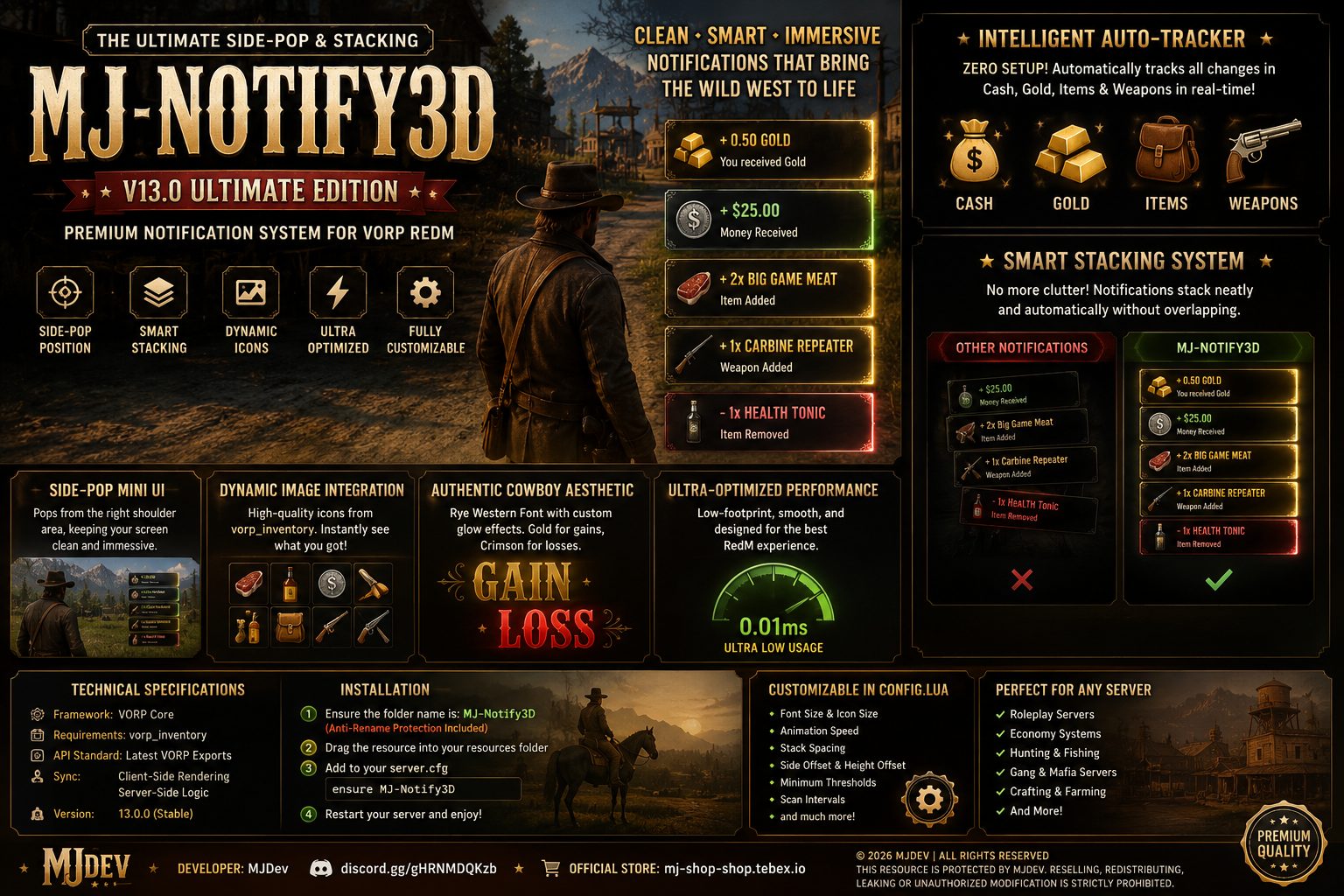
Elevate your RedM server’s immersion with the most intelligent and visually stunning notification system on the market. MJ-Notify3D brings high-end RPG-style floating text to the Wild West, designed with a focus on premium aesthetics and flawless performance.
🎥 What is MJ-Notify3D?
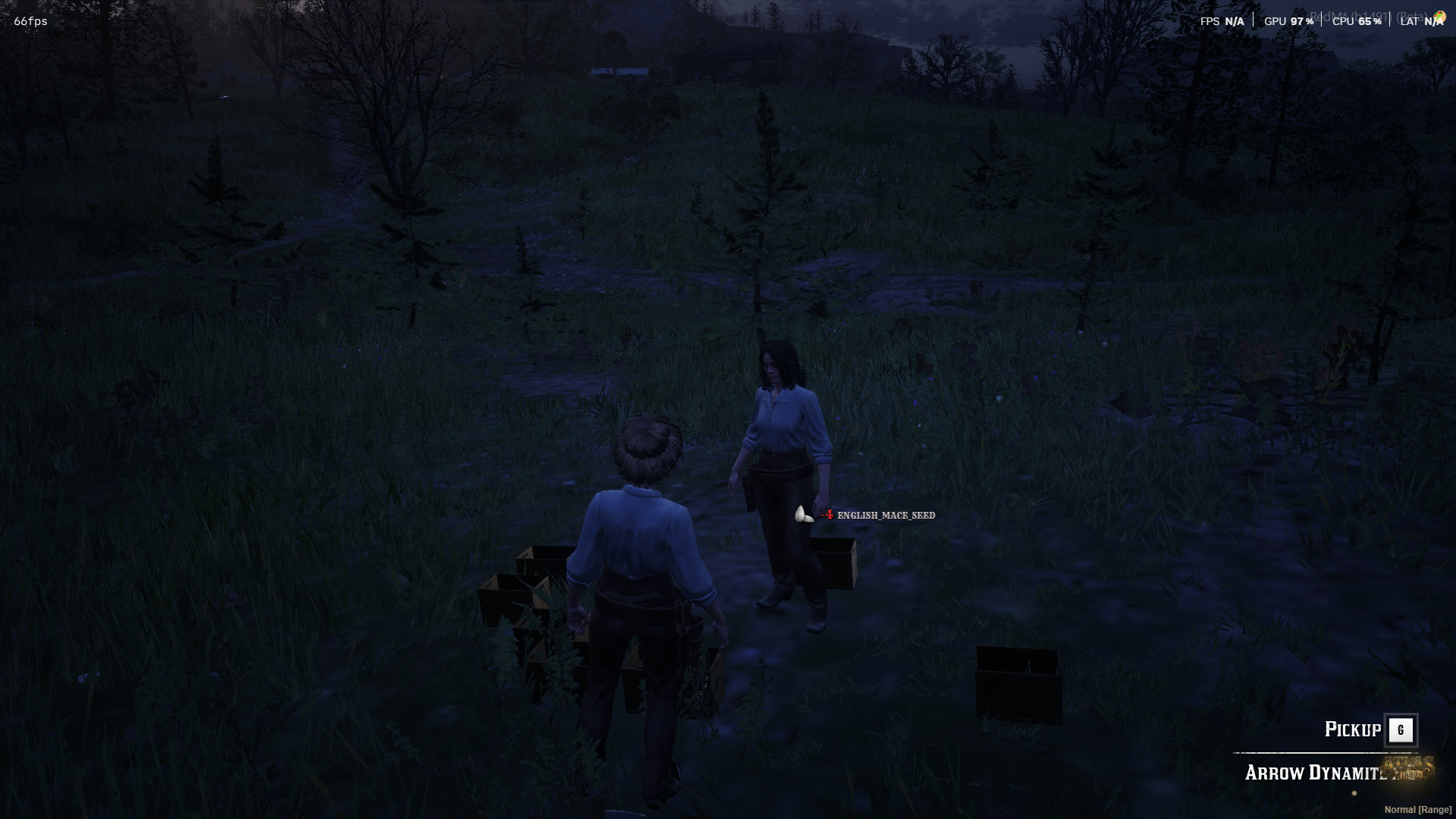
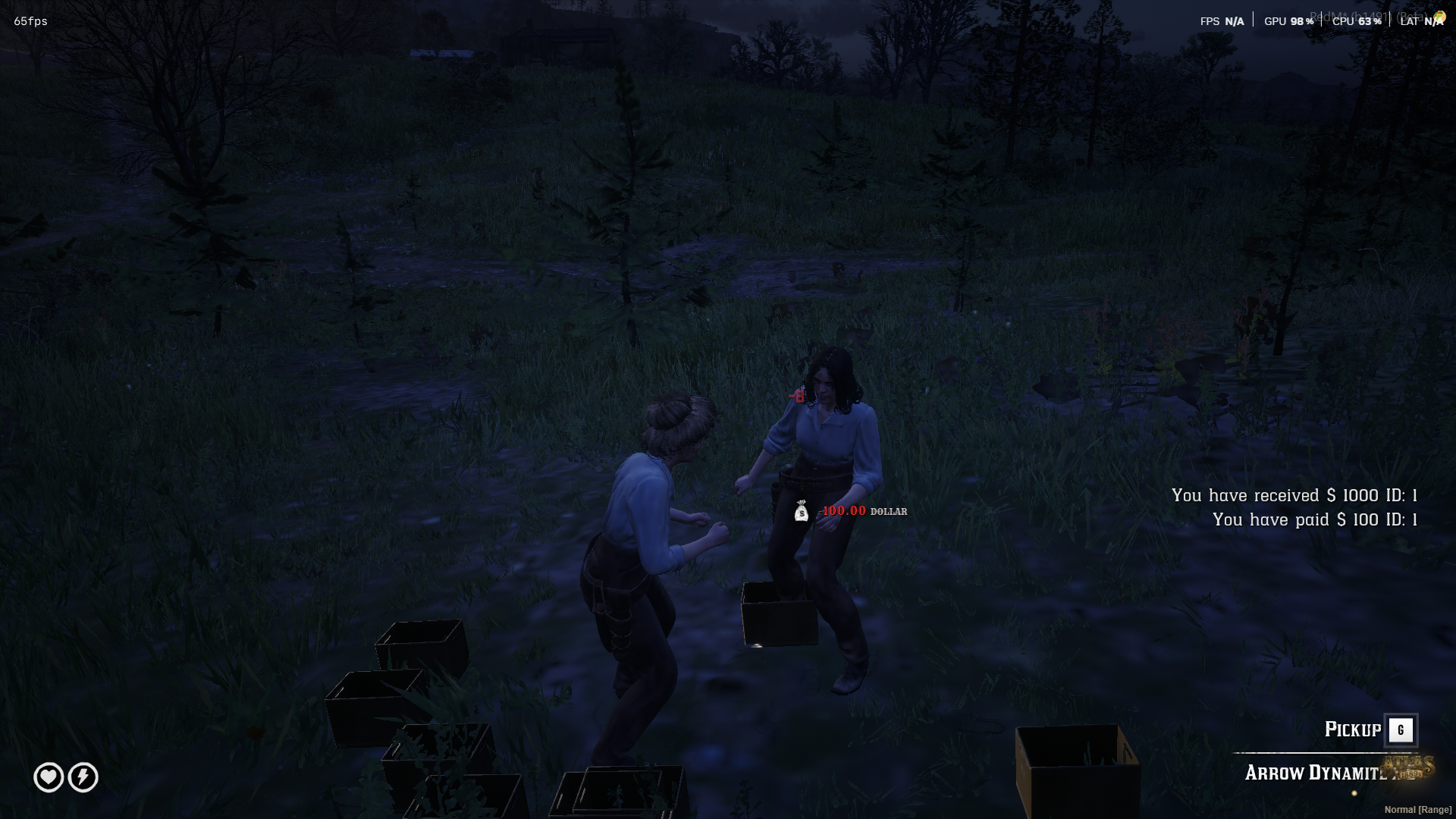
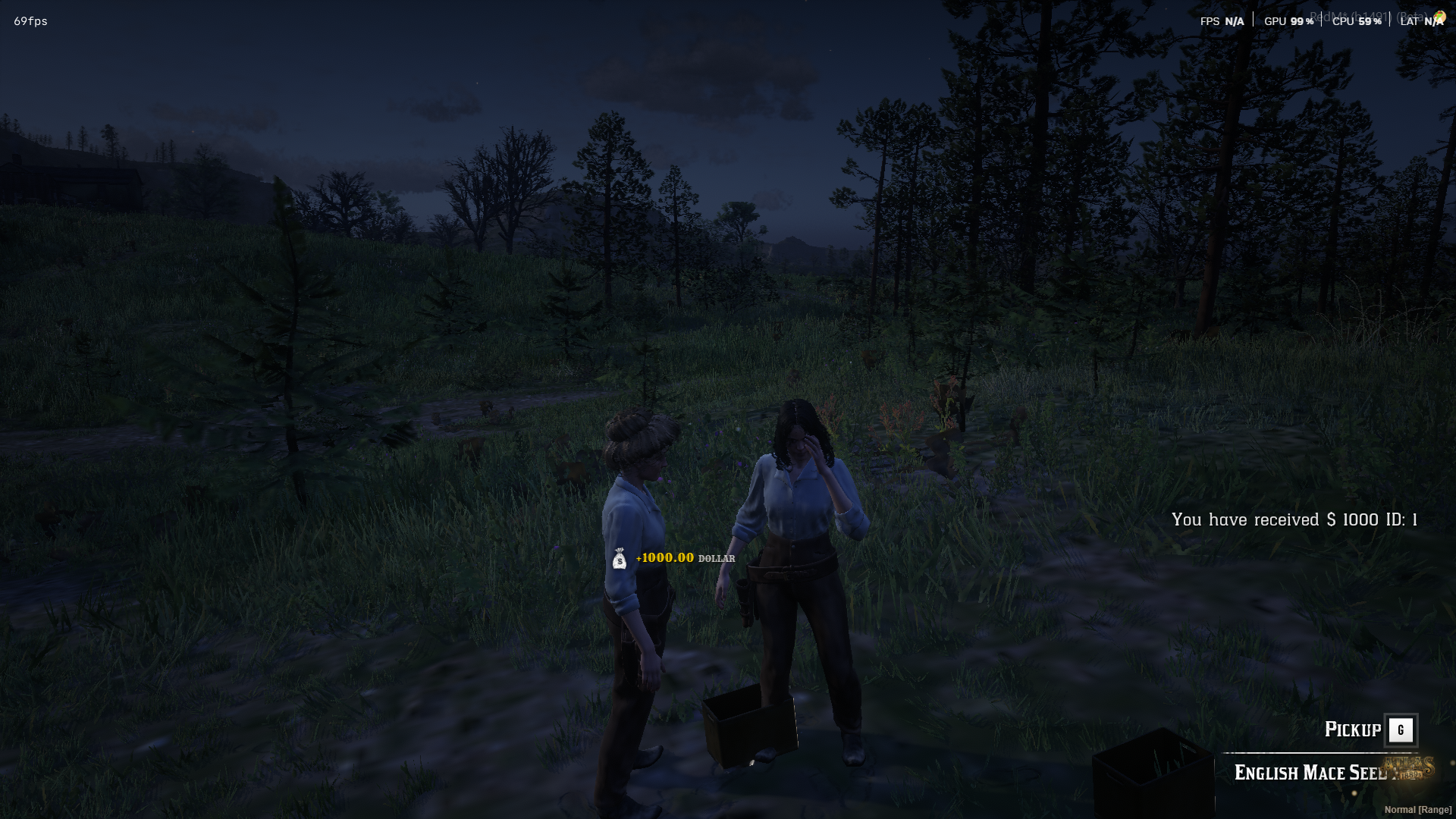
Forget boring, flat UI notifications. MJ-Notify3D tracks every change in a player's inventory and wallet in real-time. Whether they earn a few cents, find a legendary weapon, or lose an item in a trade, a beautiful 3D notification pops up right off their character's shoulder.
🌟 Key Features (v13.0 Ultimate Edition)
🛡️ Intelligent Auto-Tracker: Zero configuration needed for other scripts! It automatically monitors Cash ($), Gold, Items, and Weapons. It calculates the difference and triggers the UI instantly. Truly Plug & Play.
📚 Smart Stacking System (Anti-Overlap): No more cluttered text! If a player receives multiple items at once, the notifications list up in a clean, organized stack.
🎯 Side-Pop Mini UI: Specifically designed to pop from the right shoulder area. This keeps the center of the screen clear and ensures the UI never covers the player's face.
🖼️ Dynamic Image Integration: High-quality icons are pulled directly from
vorp_inventory. Players see exactly what they got without needing to read.🌵 Authentic Cowboy Aesthetics: Featuring the iconic "Rye" Western font with custom glow effects (Gold for gains, Crimson for losses) to match the 1899 atmosphere.
⚡ Ultra-Optimized Performance: Built with a "Low-Footprint" philosophy. The script runs at 0.01ms and uses NUI to ensure no frame drops or UI lag.
⚙️ Fully Customizable (config.lua)
Tailor the experience to fit your server's unique style:
Visuals: Adjust Font Size, Icon Size, Animation Speed, and List Spacing.
Thresholds: Set minimum values for notifications (e.g., only show if money changes by > $0.01).
Positioning: Easily tweak the Side-Offset and Height-Offset to find your perfect "sweet spot."
Intervals: Control how fast the background tracker scans for changes.
📦 Technical Specifications
| Specification | Details |
| Framework | VORP Core |
| Requirements | vorp_inventory (for icons) |
| API Standard | Latest VORP Official Exports |
| Sync | Client-Side rendering with Server-Side logic |
| Version | 13.0.0 (Stable) |
🛠️ Installation
Ensure the folder is named
MJ-Notify3D(Anti-rename protection is active).Drop the folder into your resources.
Add
ensure MJ-Notify3Dto yourserver.cfg.Enjoy the premium vibes!
🤝 Purchase & Support
Have questions or need a custom feature? Reach out to us directly!
💻 Developer: MJDev
💬 Discord Support: Join our Community
🛍️ Official Store: Visit MJ Shop on Tebex
© 2026 MJDev | All rights reserved.
This resource is protected by MJDev. Reselling, redistributing, or unauthorized modification is strictly prohibited.
"Because premium quality is found in the small details on your shoulder." 🤠✨💰🔫
💡 MJ RedM Tip for Posting:
When you post this, make sure to attach a small video or a GIF of the notifications "stacking" while you pick up items. It's the #1 selling point! If you need help generating a banner for the post, just ask! 🤠🔥