
 Join our Discord
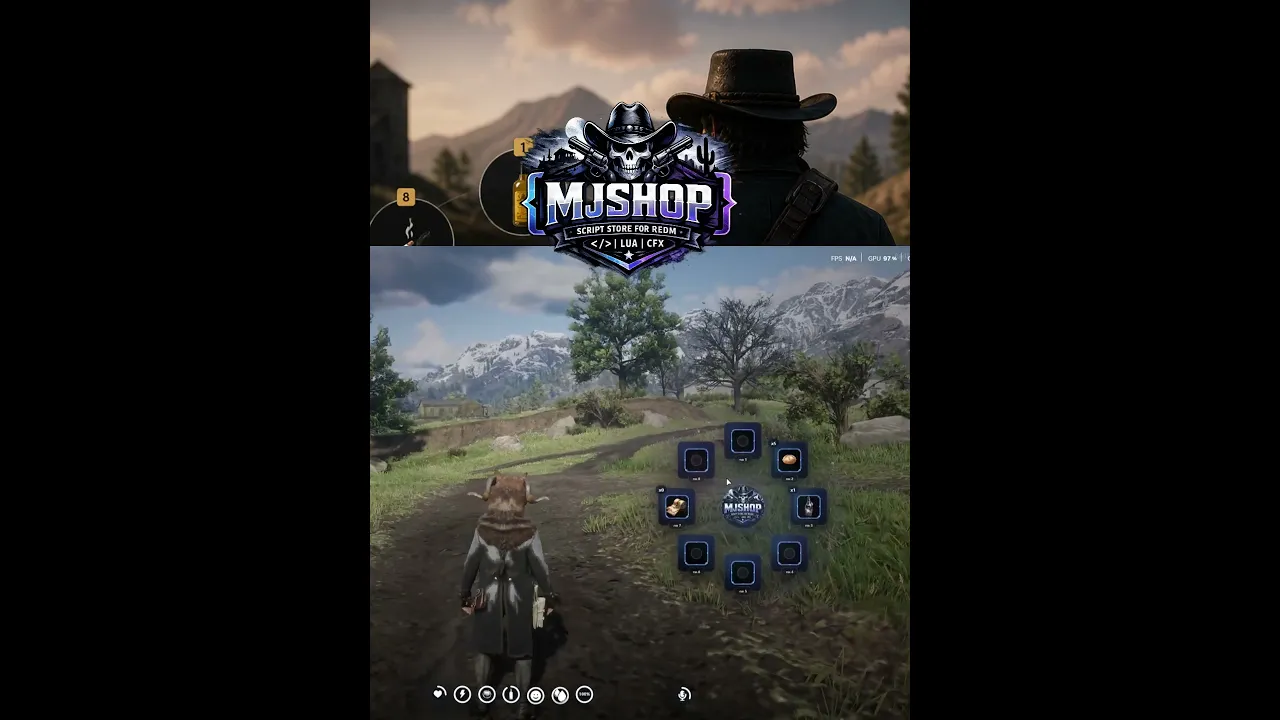
🟡 MJ QuickSlot System (RedM / VORP)
⚡ Smart. Fast. Essential.
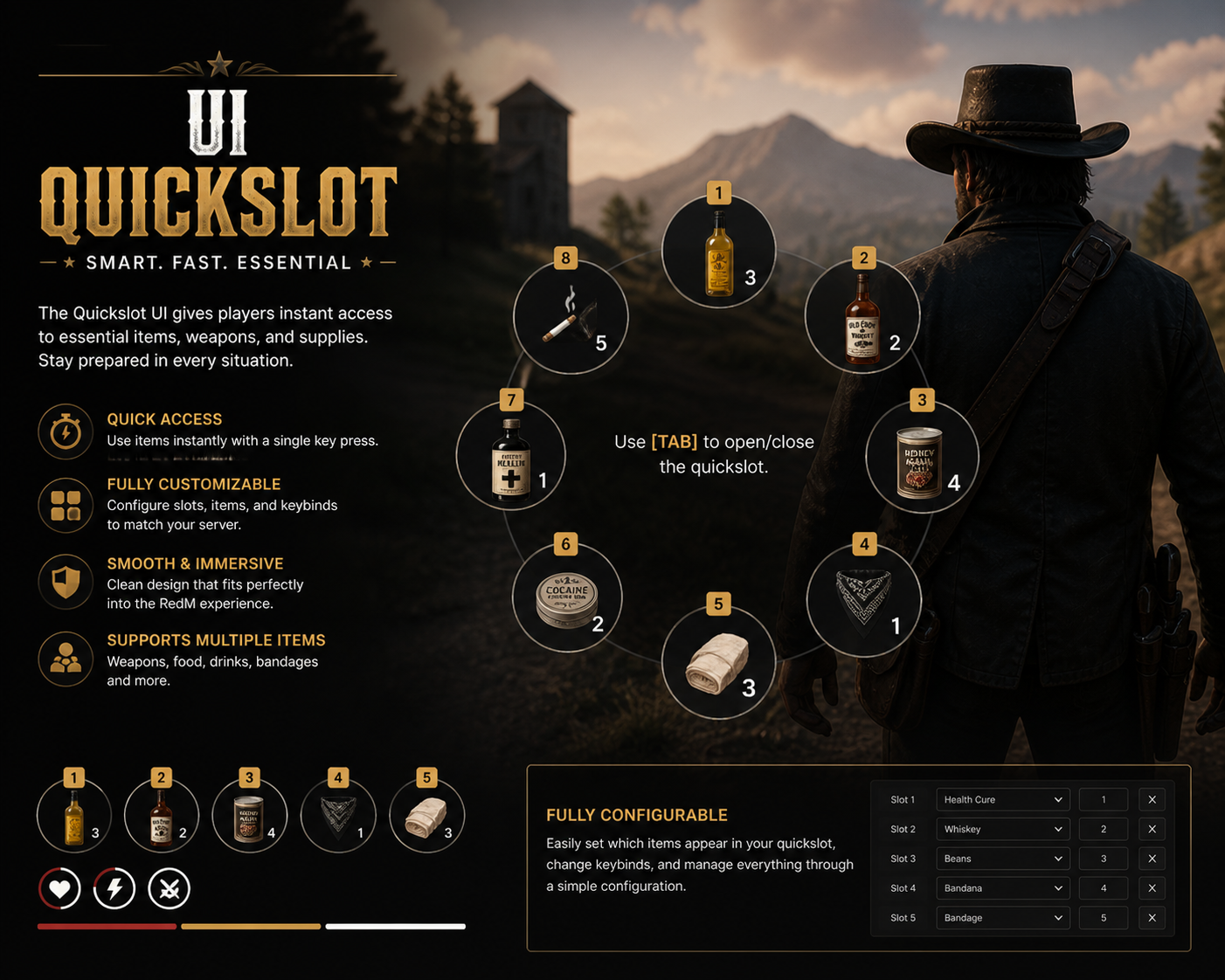
Upgrade your RedM server experience with a modern circular QuickSlot UI, designed for fast access to essential items like medicines, food, drinks, and utilities.
Built specifically for VORP Core, this system enhances gameplay immersion while keeping performance optimized.
🎯 Overview
The MJ QuickSlot System allows players to quickly access and use items through an intuitive radial (circular) UI.
Perfect for roleplay servers that demand speed, realism, and clean UI/UX.
🔥 Features
🟡 Circular QuickSlot UI
Clean radial menu design
Smooth animations & immersive feel
Easy selection with directional input
⚡ Instant Item Usage
Use items instantly without opening inventory
Perfect for combat, survival, and roleplay
🎒 Inventory Integration (VORP)
Fully integrated with VORP Inventory
Automatically syncs player items
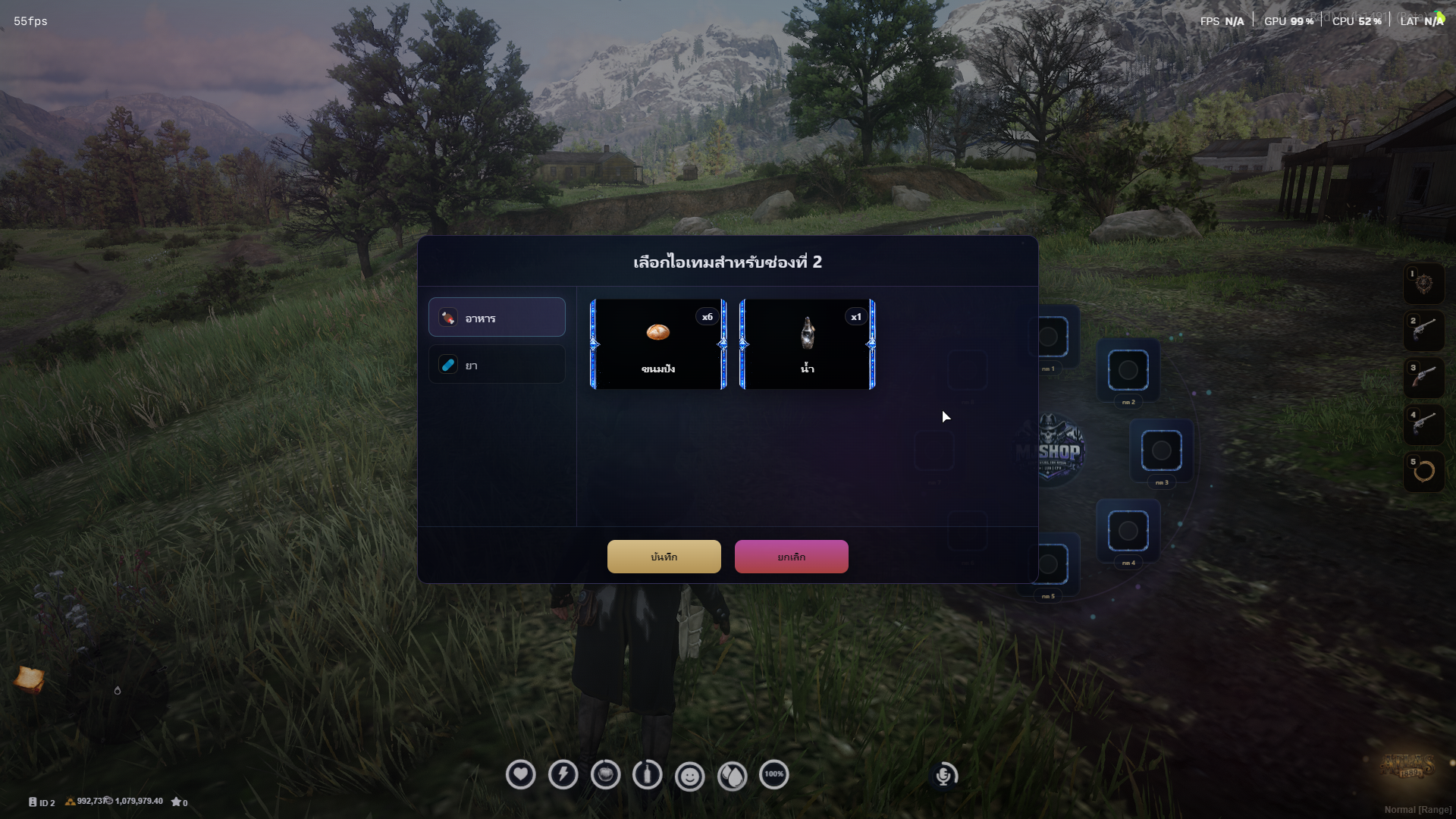
🛠 Fully Configurable
Customize:
Slot count
Allowed items
Key bindings (RedM supported method)
Cooldowns
🧪 Multi Item Support
Supports a wide range of items:
💊 Medicine / Healing
🍖 Food
🥃 Drinks
🧵 Utility items (bandage, etc.)
🎮 Smooth & Immersive
Designed for RedM Western style
Lightweight and optimized
No FPS drops (0.00ms idle)
🧠 Gameplay Benefits
Faster reaction in combat situations
Better survival mechanics
Enhanced roleplay immersion
Cleaner UI compared to default inventory usage
🖥 UI Preview
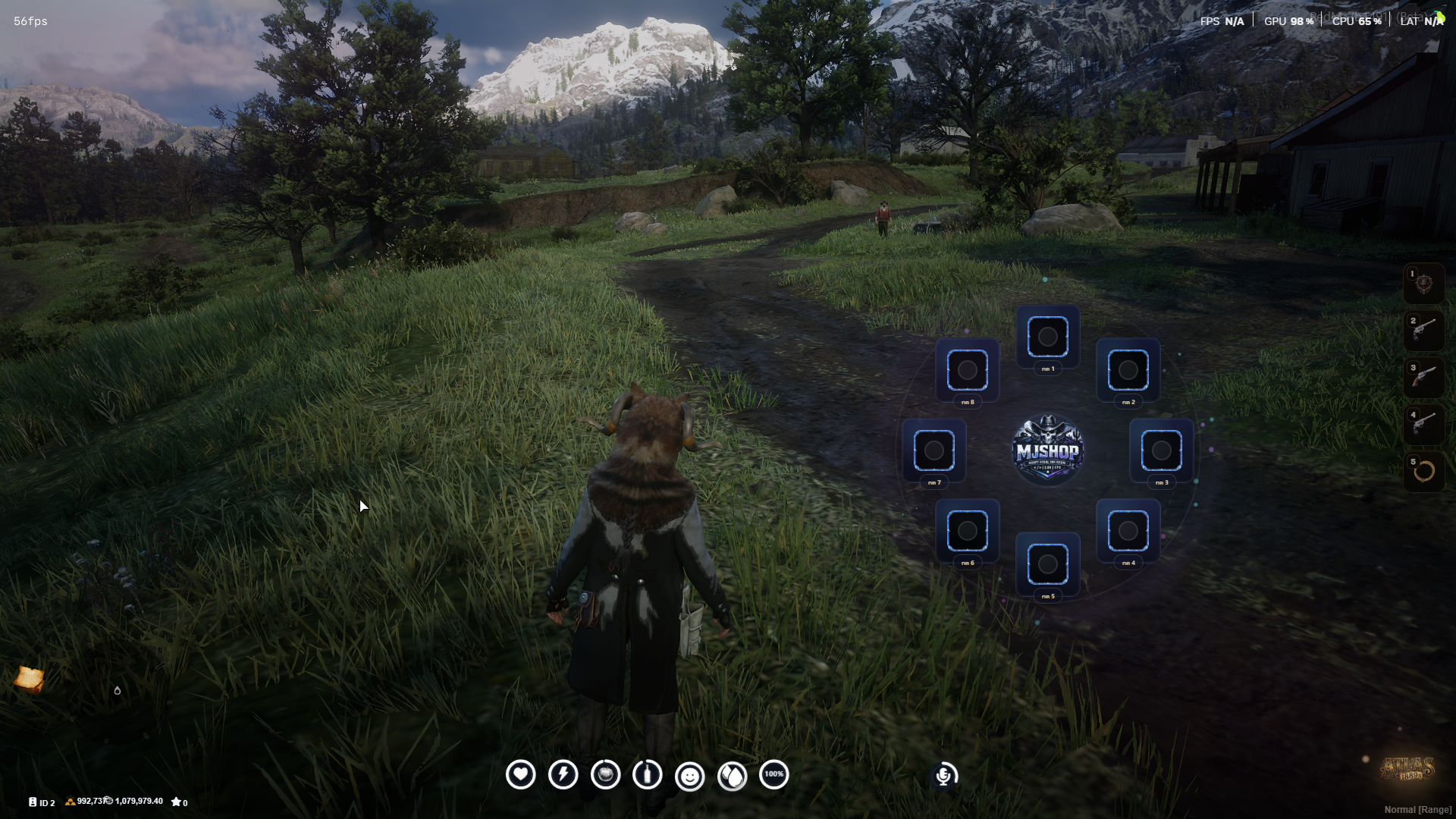
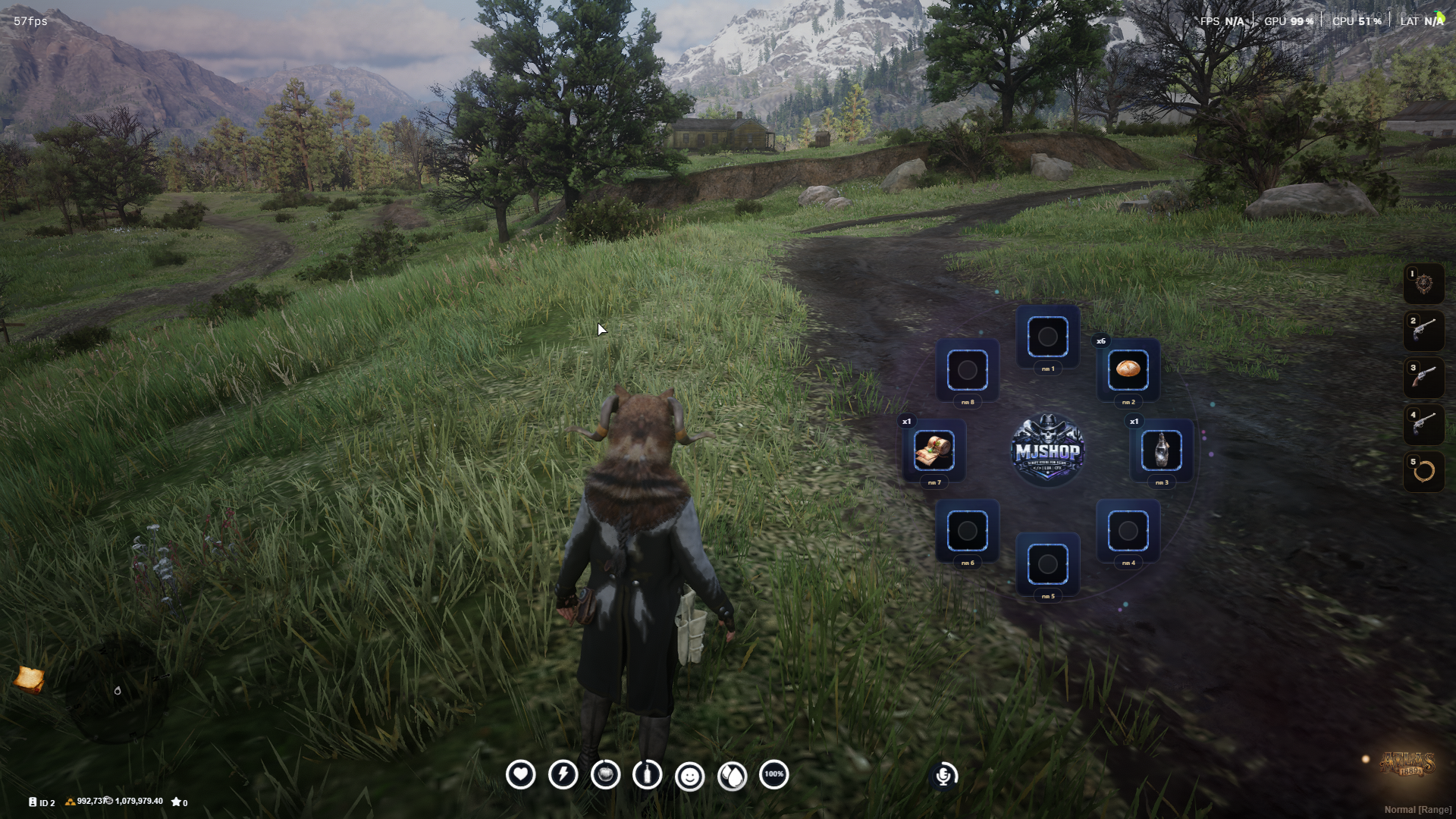
Radial menu with 8 slots (configurable)
Each slot displays:
Item icon
Quantity
Slot number
Clean minimal HUD integration
⚙️ Requirements
RedM Server
VORP Core Framework
VORP Inventory
📦 Installation
Drag & drop the script into your
resourcesfolderAdd to your
server.cfg:ensure MJ-QuickSlotConfigure settings in
config.luaRestart your server
🔧 Configuration (config.lua)
You can easily configure:
Number of slots
Allowed items
Cooldown system
UI behavior
Key controls (RedM compatible)
🛡 Security
Basic anti-spam protection
Server-side validation
Safe item usage handling
💬 Support
Discord support available
Fast response & updates
Continuous improvements
🚀 Why Choose MJ QuickSlot?
✔ Clean & professional UI
✔ Built for production servers
✔ Fully optimized for RedM
✔ Easy to install & configure
✔ Designed with real gameplay in mind
📌 Notes
This script does NOT use RegisterKeyMapping (RedM safe)
Designed specifically for immersive roleplay servers
UI is fully customizable (NUI ready)